
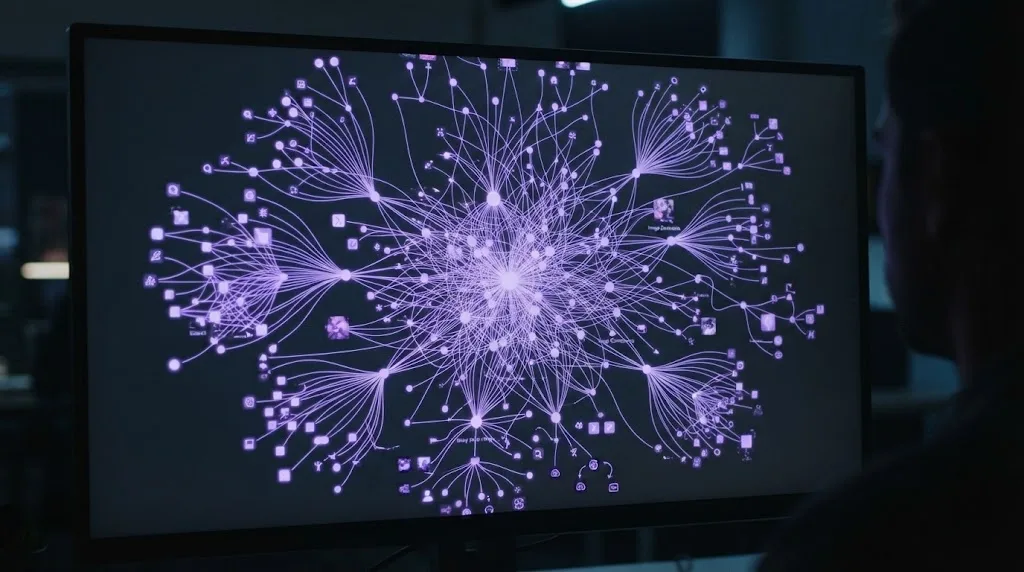
Lexika Brains give each project its own AI project memory. It’s one place where facts, preferences and decisions are saved once and used across your chats on that project. You say “Remember that…” to save something and “Forget…” to remove it, and each answer cites the memories it used. This guide shows how to create a Brain, attach it to a chat and manage memories. It also explains how Brains work across models and teams, and what each plan includes.
Last updated: October 2026
What Is a Brain? AI Project Memory in Lexika
A Brain is a dedicated memory for one project. Instead of explaining your background again in every new chat, you save it once and the assistant uses it when it answers. In practice, it works like a small project knowledge base for AI. A client Brain might hold the client’s preferred tone, key deadlines and decisions you’ve already made.
Because each project has its own Brain, details stay separate. Notes from your thesis won’t show up in a client brief, and one client’s style rules won’t leak into another client’s work. That’s why AI memory per project is more useful than one big memory about you.
Assistants remember things in several ways, from the current conversation to saved preferences and uploaded files. For the general picture, including why chatbots forget in long chats, read AI memory explained. This guide covers how Brains work in Lexika.
Create a Brain and Attach It to a Chat
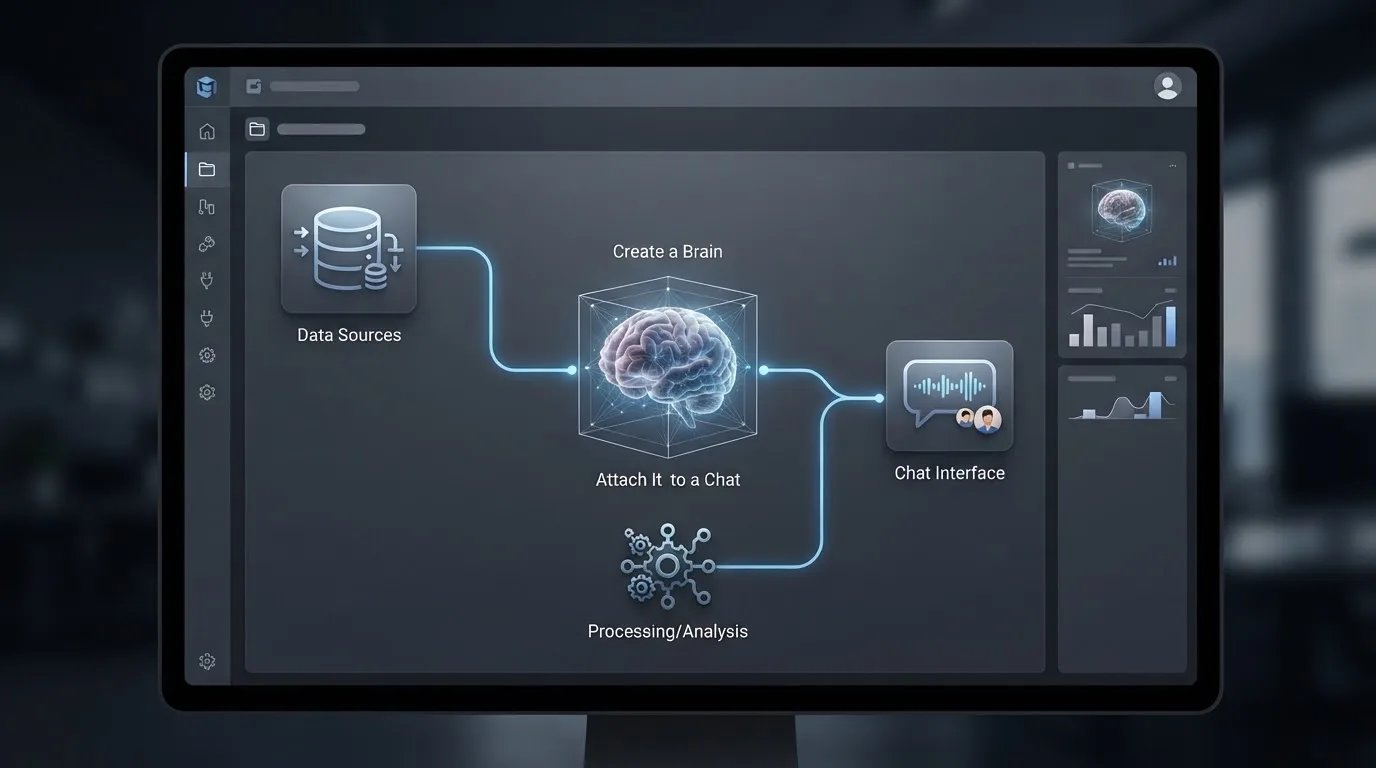
If you’re new to Lexika, our guide to getting started with Lexika covers your account and first workspace. After that, setting up AI project memory takes a few minutes:
- Open the workspace where the project lives.
- Create a new Brain and give it a clear project name, such as “Website relaunch” or “Thesis: water desalination.” [LEXIKA TEAM TO CONFIRM: where the option to create a Brain is, and the exact button labels]
- Attach the Brain to the chat you’re working in. Whenever you start a new chat for the project, check that the Brain is attached. [LEXIKA TEAM TO CONFIRM: how to attach a Brain, and whether new chats start without one]
- Add three to five starter memories: the facts the assistant should always know about this project.
Tip: Keep one project per Brain. If a Brain starts covering two clients or two courses, split it so neither project’s details end up in the wrong answer.
“Remember” and “Forget”: Managing Memories
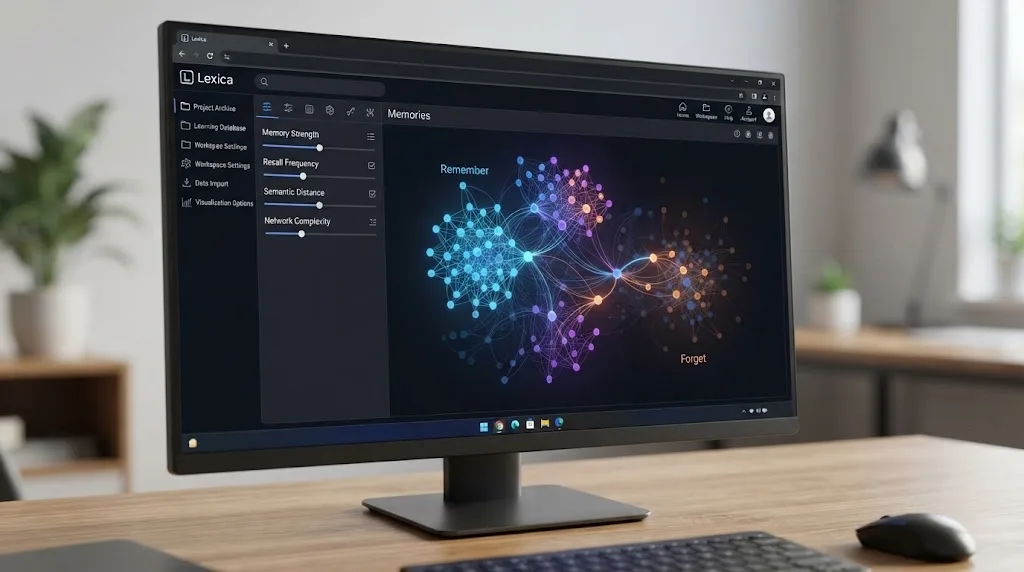
To save something, start your message with “Remember that…” and state the fact. Good memories are short, specific and unlikely to change every week:
- “Remember that client reports are written in English with a short Arabic summary at the top.”
- “Remember that our Riyadh team works Sunday to Thursday, so don’t schedule reviews on Friday or Saturday.”
- “Remember that my supervisor wants APA citations and no first person.”
To remove something, say “Forget…” and name it, for example “Forget the old launch date.” When plans change, forget the old memory and save the new one. An outdated memory is worse than none, because the assistant will apply it with confidence.
Some things don’t belong in a Brain at all, such as passwords, Emirates ID or passport numbers, card details and anything a client asked you to keep out of outside tools. Lexika encrypts your data and doesn’t use it for training, but your company’s data rules still apply.
[LEXIKA TEAM TO CONFIRM: whether anything is saved without an explicit “Remember” command, who in a workspace can save or forget memories, whether memories can be edited from a list, and what happens when a Brain is full]
How Every Model Reads the Same Brain
Every model in Lexika reads the same Brain. [LEXIKA TEAM TO CONFIRM: Lexika’s knowledge base says some models can’t use the Brain. List the exceptions or confirm there are none.] You can draft a proposal with one model, then switch to another mid-conversation or bring it in with an @mention. The second model reviews the draft with the same project rules, and your project context stays when you switch.
Each answer also cites the memories it used. If a reply follows a rule you didn’t expect, the citation shows which memory caused it. You can then fix or forget that memory instead of guessing.
A Brain gives models your context, not new abilities. It doesn’t change a model’s knowledge cutoff or stop it from making mistakes, so still check facts, figures and names before anything goes out.
Note: Citations are the quickest way to check what’s in a Brain. If an outdated memory keeps appearing, forget it once and it’s gone for every model that reads the Brain.
Brains for Teams
Brains become more useful when several people work on the same project. You can invite teammates to a workspace by link and work in the same conversation in real time, with notes for people and questions for models. Nothing is charged per seat, and each plan includes a number of members.
With a Brain attached, the team works from a shared memory: the client’s tone, the agreed scope and past decisions apply no matter who asks. [LEXIKA TEAM TO CONFIRM: whether all workspace members can read a Brain, and which roles can save memories or make it forget]
A few habits keep a shared team memory for AI clean:
- Name one person to look after each Brain.
- Save decisions with a date, like “Remember that, as of October 2026, the client approved the blue logo.”
- Review the Brain at the end of each project phase and forget anything that no longer applies.
A Brain covers one project. If you need a wider home for company documents and processes, see our guide to building a knowledge base for teams.
Brain Limits by Plan
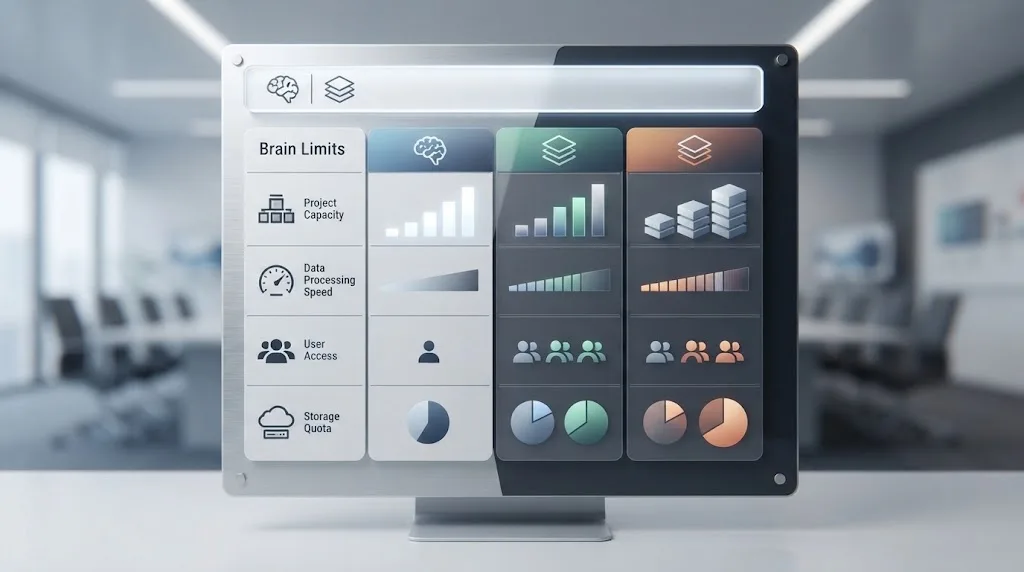
Each plan sets how many Brains you can create in each workspace and how many entries each Brain can hold. These figures come from Lexika’s pricing page, checked on October 7, 2026. [LEXIKA TEAM TO CONFIRM: all limits in this table]
| Plan | Price | Brains per workspace | Entries per Brain | Workspaces / members |
|---|---|---|---|---|
| Essential | $4.99/mo | 3 | 200 | 2 / 2 |
| Pro | $14.99/mo | 20 | 1,000 | 5 / 5 |
| Max | $49.99/mo | 100 | 2,000 | 50 / 50 |
| Enterprise | Custom | Everything in Max | Everything in Max | Custom seats |
Brain limits apply to each workspace, so the number of workspaces on your plan matters too. [LEXIKA TEAM TO CONFIRM: whether one entry equals one saved memory] Usage on every plan is paid in Stars, and heavier models cost more Stars per message.
As a rough guide, Essential suits a student with a few projects and Pro suits a freelancer with several clients. Max suits teams running many projects at once. Limits can change, so see the latest Brains per plan before you choose.
FAQ
How is a Brain different from chat history?
Chat history is a record of one conversation, and long chats can lose early details. A Brain holds only what you choose to save for a project, such as rules, preferences and decisions, and the assistant can use it across your chats on that project. Think of chat history as the notes from one meeting, and the Brain as the project file everyone refers back to.
Can I have more than one Brain?
Yes. According to Lexika’s pricing page, each plan includes a set number of Brains per workspace: 3 on Essential, 20 on Pro and 100 on Max. Use a separate Brain for each client, course or project so their details stay apart. Check the pricing page for current limits before you plan around them.
What should I not save in a Brain?
Avoid passwords, Emirates ID or passport numbers, card details, health information and anything a client asked you to keep out of outside tools. Lexika encrypts your data and doesn’t use it for training, but your company’s data rules and client contracts still apply. Save rules and decisions, not sensitive records.
How do I know which memories the AI used?
Each answer cites the Brain memories it used. If a reply follows a rule you didn’t expect, check the cited memory. Then say “Forget…” to remove it, or save a corrected version with “Remember that…”. This makes a Brain easy to check, even when several models and teammates use it.
Is what I save in a Brain used to train AI models?
No. Lexika states that your data is encrypted and not used for training, and that includes what you save in a Brain. Even so, treat a Brain like any shared work document. Save what the project needs, and keep sensitive personal or client data out unless your company’s policy allows it.
Key takeaways
AI project memory works best when it’s specific, separate and up to date. A Brain gives each project that memory, and the models you use work from it.
- Create one Brain per project and attach it to that project’s chats.
- Say “Remember that…” to save and “Forget…” to remove, and keep memories short and current.
- Use citations to see which memories shaped each answer.
- Check your plan’s limits on Brains per workspace and entries per Brain.
If you’d rather not juggle tabs and paste the same background into every new chat, you can create your first Brain and let every model you use work from the same project memory, with a 7-day free Pro trial.
سؤالات متداول
What is an AI project memory?
An AI project memory is a dedicated storage space for a specific project where important facts, preferences, and decisions are saved once. Instead of repeating context in every new chat, the assistant accesses this stored information automatically.
How do you save and remove memories in Lexika Brains?
To save information, begin your message with 'Remember that…' followed by the specific fact. To delete or update outdated information, use the 'Forget…' command naming the specific memory you wish to remove.
