
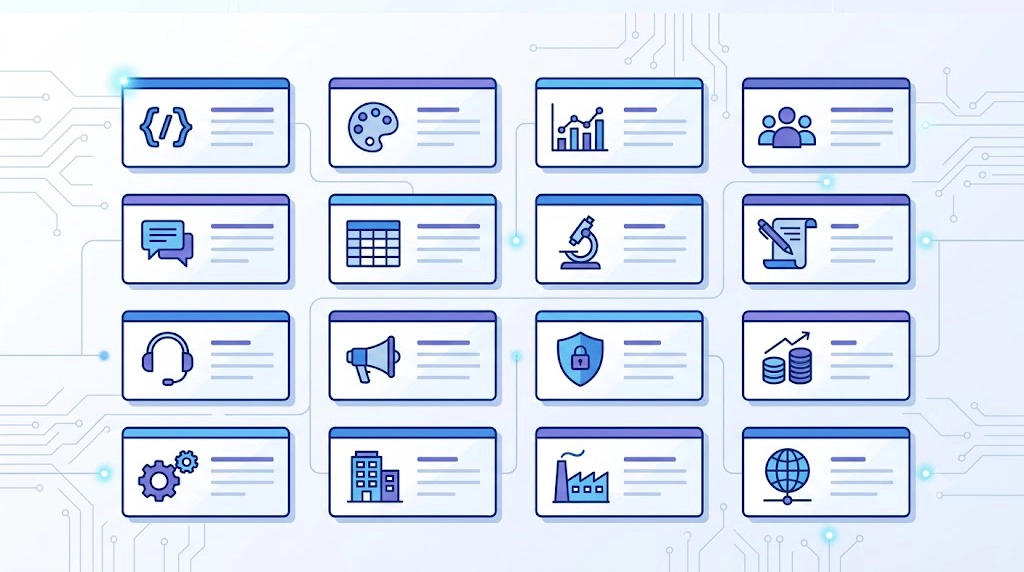
Artificial Intelligence is rapidly redefining business efficiency across the GCC, but staring at a blank chat window wastes valuable time. To help leaders instantly slash costs and accelerate growth without learning prompt engineering, this guide delivers a curated library of 50 professional, ready-to-use AI prompt templates. By utilizing these AI prompt templates for work and prompt examples for professionals, you can completely bypass the learning curve, automate routine communications, and extract deep insights immediately—just copy, paste, and customize for instant ROI.
Why Prompt Templates Save You Time
Many executives struggle to get high-quality outputs from AI models because their instructions are too vague. Using structured AI prompt templates eliminates this friction. They provide the AI with the exact context, tone, and format required to deliver a perfect response on the first try.
- Instant ROI: Skip the trial-and-error phase. ChatGPT prompt templates give you the exact phrasing needed for high-level business tasks.
- Standardized Quality: Ensure your entire team produces consistent, on-brand content by deploying shared AI prompt templates for work.
- Operational Efficiency: AI prompts for productivity turn hours of manual drafting into seconds of automated generation, particularly valuable in high-stakes environments like Saudi Arabia’s rapidly growing tech sector.
| Task Type | Manual Effort | Using AI Prompt Templates | Time Saved |
| Drafting a Vendor Contract Addendum | 45 Minutes | 2 Minutes | ~43 Minutes |
| Summarizing Weekly Data KPIs | 60 Minutes | 5 Minutes | ~55 Minutes |
| Writing an Executive Pitch Deck Outline | 90 Minutes | 10 Minutes | ~80 Minutes |
How to Use These Templates
The beauty of these ready-to-use AI prompts is their simplicity. We have structured them to be entirely model-agnostic, meaning they work perfectly whether you are using GPT-4, Claude 3, or Gemini. Here is how to maximize their value:
- Locate your task: Browse the 7 categories below to find the specific business function.
- Copy the text: These are genuine copy paste AI prompts. Highlight the blockquote text and copy it to your clipboard.
- Fill in the brackets: Replace placeholders like [Company Name] or [Target Audience] with your specific information.
- Execute and refine: Run the prompt. If you need adjustments, check out our guide on Advanced Prompt Engineering: 7 Techniques the Pros Actually Use.
By relying on these standardized AI prompt templates, you guarantee a consultative, authoritative, and value-driven output tailored to senior management.
Email & Communication Prompts
Clear communication is the lifeblood of business. Use these AI prompt templates to craft emails that are professional, concise, and highly effective.
1. The High-Stakes Cold Outreach
Use it for: Initiating contact with a high-value prospect.
Act as a senior executive. Write a concise, 150-word cold outreach email to [Prospect Name], the [Job Title] at [Company Name]. Focus on how our solution, [Product/Service], solves their specific pain point of [Pain Point]. Keep the tone professional, authoritative, and suitable for the GCC business environment. End with a soft call to action for a 10-minute call next [Day of Week].
2. The Diplomatic Pushback
Use it for: Declining an unreasonable request from a stakeholder while maintaining the relationship.
Draft a polite but firm email to [Stakeholder Name] declining their request to [Describe Request]. Explain that due to [Reason, e.g., current quarterly priorities/budget constraints], we cannot accommodate this right now. Propose an alternative solution of [Alternative]. The tone must be professional, empathetic, yet unyielding.
3. The Executive Project Update
Use it for: Sending a weekly status update to the C-suite.
Summarize the following project details into a highly scannable status update email for the C-Suite: [Paste raw notes/data]. Use bullet points. Highlight three sections: 1. Key Achievements this week, 2. Current Roadblocks (and how we are solving them), and 3. Next Steps. Keep it strictly focused on ROI and timeline impact.
4. The Vendor Negotiation
Use it for: Requesting better terms or pricing from a supplier.
Write a negotiation email to our vendor, [Vendor Name], regarding our upcoming contract renewal for [Service/Product]. Express appreciation for their past service, but state that our current budget requires a [Percentage]% reduction in costs. Ask them to provide a revised proposal. Maintain a collaborative but firm business tone.
5. The Professional Apology
Use it for: Addressing a service disruption or mistake with a client.
Draft a professional apology email to [Client Name] regarding the recent issue with [Describe Issue]. Acknowledge the mistake without over-explaining, clearly state the steps we have taken to resolve it ([List Steps]), and outline how we will prevent it from happening again. Tone should be accountable, reassuring, and transparent.
6. The Post-Meeting Follow-Up
Use it for: Locking in commitments after a crucial discussion.
Create a follow-up email based on these rough meeting notes: [Paste Notes]. Thank [Name] for their time, clearly summarize the 3 main decisions made, and list the specific action items assigned to each person with their respective deadlines. Make the formatting highly readable.
7. The Complex Email Summarizer
Use it for: Extracting the main point from a massive email thread.
Analyze this long email thread: [Paste Thread]. Provide a 3-bullet point executive summary of the core issue, list who is currently blocking progress, and suggest the most logical next step to resolve the situation quickly.
8. The Strategic Out-of-Office (OOO)
Use it for: Setting boundaries while ensuring business continuity.
Write a professional Out of Office auto-responder. I will be away from [Start Date] to [End Date] for [Reason – Optional]. State that I will have limited access to email. Direct urgent technical inquiries to [Name] at [Email], and urgent commercial inquiries to [Name] at [Email]. Keep it brief and polished.
Meeting & Collaboration Prompts
9. The Action-Oriented Meeting Agenda
Use it for: Structuring a meeting to prevent wasted time.
Create a 45-minute meeting agenda for a discussion about [Topic]. The goal of the meeting is to [State Goal]. Divide the time into logical sections with estimated durations. Include a ‘Pre-read’ section detailing what attendees must review beforehand, and end with a 5-minute buffer for assigning action items.
10. The Brainstorming Catalyst
Use it for: Generating diverse ideas for a specific business challenge.
Act as an innovative business consultant. Generate 10 distinct, out-of-the-box ideas to solve [Specific Problem]. For each idea, provide a one-sentence description and one potential risk. Ensure the ideas range from ‘quick wins’ to ‘long-term strategic shifts’.
11. The Cross-Functional Alignment Email
Use it for: Getting different departments on the same page.
Draft an internal email to the [Department A] and [Department B] teams. Explain the new initiative: [Initiative Name]. Clearly articulate why this matters to the company’s bottom line, what the immediate next steps are, and exactly what is required from each department. Tone should be unifying and clear.
12. The Constructive Feedback Generator
Use it for: Structuring difficult feedback for a colleague or direct report.
I need to give feedback to an employee who is struggling with [Specific Issue]. Draft a script for a 1-on-1 conversation using the SBI (Situation, Behavior, Impact) framework. The tone should be supportive, objective, and focused on growth rather than blame. Include a question to ask them at the end to invite their perspective.
13. The Pre-Read Document Synthesizer
Use it for: Creating a quick primer for an upcoming meeting.
Take these raw notes and data points: [Paste Information]. Turn them into a structured, one-page ‘Pre-Read’ document for an upcoming executive meeting. Use the BLUF (Bottom Line Up Front) principle. Include a ‘Current State’, ‘Proposed Changes’, and ‘Key Questions to Decide’.
14. The Meeting Notes Extractor
Use it for: Turning chaotic transcriptions into usable data.
Review this raw meeting transcript: [Paste Transcript]. Extract the 5 most critical insights. Then, create a separate list of all actionable tasks mentioned, assigning them to the correct person based on the context of the conversation. Ignore small talk.
15. The Workshop Icebreaker Planner
Use it for: Starting a corporate workshop with high energy.
Suggest 3 professional, fast (under 10 minutes) icebreaker activities for a corporate workshop about [Topic]. The attendees are mid-to-senior level managers. Avoid anything overly personal or physically demanding. Focus on activities that stimulate strategic thinking.
Planning & Strategy Prompts
16. The OKR Framework Builder
Use it for: Setting measurable goals for a quarter.
Act as a strategic planner. Based on our primary company goal of [Company Goal], draft 3 Objectives and Key Results (OKRs) for the [Department Name] department for Q3. Ensure the objectives are ambitious and the key results are strictly quantifiable and time-bound.
17. The Comprehensive SWOT Analysis
Use it for: Evaluating a new product launch or market entry.
Perform a comprehensive SWOT (Strengths, Weaknesses, Opportunities, Threats) analysis for a company planning to launch [Product/Service] in the [Specific Market, e.g., UAE tech sector]. Provide 4 highly specific bullet points for each category, focusing on market realities and competitor dynamics.
18. The Risk Mitigation Strategy
Use it for: Identifying and preparing for project failures.
We are about to execute [Project Name]. Identify the top 5 strategic and operational risks associated with this initiative. For each risk, provide a detailed mitigation plan and designate an ‘early warning sign’ we should monitor to catch the risk before it escalates.
19. The Competitor Feature Matrix
Use it for: Comparing your offering against market rivals.
Create a framework for a competitor analysis comparing our product, [Our Product], against [Competitor A] and [Competitor B]. Suggest 6 critical evaluation criteria (e.g., pricing, scalability, localized support). Provide a brief hypothesis on where our product likely holds a competitive advantage.
20. The High-Level Project Timeline
Use it for: Mapping out phases for stakeholder visibility.
Draft a high-level project timeline for [Project Name], which spans [Number] months. Break the project down into 4 distinct phases. For each phase, define the primary objective, key deliverables, and critical milestones. Format this as a clean, structured list.
21. The Budget Justification Narrative
Use it for: Defending a request for increased departmental funding.
I need to request a budget increase of [Amount] for [Purpose]. Write a compelling budget justification narrative for the CFO. Structure it to cover: 1. The business problem, 2. The proposed solution, 3. The expected ROI (Return on Investment), and 4. The cost of inaction.
22. The Resource Allocation Plan
Use it for: Distributing team capacity across multiple projects.
We have a team of [Number] people working across 3 projects: [Project A, B, C]. Project A is highest priority. Draft a strategic resource allocation plan explaining how to distribute the team’s weekly hours. Include a buffer for unexpected administrative tasks and outline a protocol for handling urgent ad-hoc requests.
Content & Marketing Prompts
23. The SEO Blog Post Outline
Use it for: Structuring an article for maximum search visibility.
Act as an expert SEO content strategist. Create a comprehensive blog post outline for the keyword ‘[Target Keyword]’. Include an optimized H1, and logically structured H2s and H3s. For each H2, add a brief bullet point indicating the specific user intent that section must satisfy.
24. The LinkedIn Thought Leadership Post
Use it for: Building executive presence on social media.
Write a compelling LinkedIn post based on this core insight: [Insert Insight]. The tone should be authoritative yet accessible, suitable for a thought leader in the [Industry] space. Start with a strong hook, use short paragraphs (1-2 sentences), include a relevant business example, and end with a question to drive comments.
25. The High-Converting Ad Copy
Use it for: Drafting variations for paid marketing campaigns.
Generate 3 distinct variations of Facebook/LinkedIn ad copy for our new [Product/Service]. Variation 1 should focus on ‘saving time’. Variation 2 should focus on ‘increasing revenue’. Variation 3 should use FOMO (Fear Of Missing Out). Include a strong headline and a clear Call to Action (CTA) for each.
26. The Content Repurposing Engine
Use it for: Turning a long article into a short newsletter snippet.
Take this text from our recent whitepaper: [Paste Text]. Repurpose it into a punchy, 150-word introduction for our weekly email newsletter. Highlight the most surprising statistic or insight, and seamlessly transition into a CTA asking readers to click the link to read the full report.
27. The SEO Meta Description Generator
Use it for: Driving clicks from search engine result pages.
Write 5 variations of an SEO meta description for a webpage about [Topic]. Each description must be between 150 and 160 characters long. It must include the exact keyword ‘[Keyword]’ naturally, and end with an actionable CTA like ‘Learn more’ or ‘Discover how’.
28. The Press Release Draft
Use it for: Announcing a new partnership or product.
Draft a standard B2B press release announcing the new partnership between [Company A] and [Company B]. Use the standard press release format (FOR IMMEDIATE RELEASE, Dateline, Intro, Body, Quotes, Boilerplate). Focus on how this partnership will drive innovation and reduce costs for clients in the [Region/Industry].
29. The Audience Persona Builder
Use it for: Defining the target customer for better messaging.
Create a detailed B2B buyer persona for a [Job Title] working in the [Industry] sector in the Middle East. Include their primary business goals, their biggest daily frustrations, the metrics they are evaluated on, and the typical objections they have when purchasing new software.
Data & Reporting Prompts
30. The Executive Data Summary
Use it for: Translating spreadsheets into leadership insights.
Review this raw monthly performance data: [Paste Data]. Write a 4-paragraph executive summary. Paragraph 1: The overall trend. Paragraph 2: The biggest win (with numbers). Paragraph 3: The most concerning metric. Paragraph 4: Two strategic recommendations based entirely on this data.
31. The KPI Trend Analyst
Use it for: Explaining the ‘why’ behind the numbers.
Our KPI for [Metric Name] dropped by [Percentage]% last month. Act as a data analyst and list 5 plausible business reasons why this anomaly might have occurred, considering standard market fluctuations and operational bottlenecks. For each reason, suggest one specific data point we should check to confirm or deny it.
32. The Survey Results Synthesizer
Use it for: Finding the narrative in customer feedback.
Analyze these open-ended customer survey responses regarding our recent product update: [Paste Responses]. Categorize the feedback into ‘Positive’, ‘Negative’, and ‘Feature Requests’. Summarize the most common theme in each category into a single, actionable sentence.
33. The ROI Presentation Structure
Use it for: Building a slide deck to prove financial value.
Outline a 7-slide presentation designed to prove the ROI of [Tool/Initiative] to the Board of Directors. For each slide, provide the title, the primary chart or data visualization that should be included, and the single key talking point the presenter must deliver.
34. The Financial Forecast Narrative
Use it for: Adding context to projected revenue models.
Based on the fact that our Q4 revenue projection is [Amount], representing a [Percentage]% growth, draft a short narrative explaining the forecast. Attribute the growth to [Factor 1] and [Factor 2], but add a cautious note regarding the potential impact of [External Risk, e.g., supply chain delays].
35. The Monthly Departmental Report
Use it for: Standardizing updates for cross-departmental review.
Create a template format for a Monthly Departmental Report for the [Name] team. It must include sections for ‘Budget Utilized’, ‘Key Milestones Hit’, ‘Upcoming Deliverables’, and ‘Dependencies on Other Teams’. Keep the format clean, using tables and bullet points.
36. The Churn Analysis Breakdown
Use it for: Understanding why clients are leaving.
Act as a Customer Success leader. We recently lost [Number] clients in the [Industry] segment. Draft a framework for a ‘Post-Mortem Churn Analysis’. Outline the specific questions we need to ask the sales, support, and product teams to accurately determine the root cause of this churn.
HR & People Prompts
37. The Modern Job Description
Use it for: Attracting top talent without using generic corporate jargon.
Write a compelling job description for a [Job Title] role at our company. We value [Core Value 1] and [Core Value 2]. Structure it with an engaging overview, a bulleted list of daily responsibilities, a list of ‘Must-Have’ hard skills, and a list of ‘Nice-to-Have’ attributes. Keep the tone modern and inclusive.
38. The Behavioral Interview Guide
Use it for: Standardizing questions for hiring managers.
Generate 5 behavioral interview questions for a [Job Title] candidate. The questions should test for their ability to handle [Specific Challenge, e.g., rapid change, strict deadlines]. For each question, provide a ‘What to look for in a good answer’ rubric for the interviewer.
39. The 30-60-90 Day Onboarding Plan
Use it for: Setting new hires up for immediate success.
Draft a structured 30-60-90 day onboarding plan for a new [Job Title]. For each phase (30 days, 60 days, 90 days), define the primary learning objective, 3 specific tasks they must complete, and the key metric we will use to measure their early success.
40. The Performance Review Outline
Use it for: Structuring an annual review fairly and objectively.
Help me write a performance review for [Employee Name], a [Job Title]. Their major strengths this year were [Strength 1] and [Strength 2]. Their main area for improvement is [Area for Improvement]. Draft a balanced, professional review that praises their wins but clearly outlines a development path for their weaknesses.
41. The Professional Rejection Letter
Use it for: Letting candidates down gently while protecting brand reputation.
Write a highly professional, empathetic candidate rejection email. Thank them for interviewing for the [Job Title] position. Explain that while their background in [Skill] was impressive, we have decided to move forward with a candidate whose experience more closely aligns with our immediate needs. Wish them well.
42. The Internal Policy Announcement
Use it for: Rolling out a new rule without causing friction.
Draft an internal memo announcing a new company policy regarding [Policy Topic, e.g., remote work days, expense reporting]. Use the BLUF method. Clearly state what the policy is, why it is being implemented (focus on the positive benefit to the organization), and the exact date it takes effect.
43. The Employee Pulse Survey
Use it for: Checking team morale accurately.
Design a short, 5-question employee ‘pulse’ survey to gauge team morale after a particularly busy quarter. Use a mix of quantitative (scale 1-10) and qualitative (open-ended) questions. The goal is to identify burnout risk without making employees feel micromanaged.
Sales & Client Communication Prompts
44. The Pitch Deck Story Arc
Use it for: Structuring a sales presentation that converts.
Outline a 10-slide sales pitch deck for our service, [Service Name], targeting enterprise clients in the [Industry]. Structure the narrative arc using the ‘Problem-Agitation-Solution’ framework. Specify what the visual focus should be on the ‘Pricing/ROI’ slide.
45. The Objection Handling Script
Use it for: Equipping sales teams to bypass common roadblocks.
Our sales team frequently encounters this objection: ‘Your solution is too expensive compared to legacy systems.’ Write a concise, conversational script for a sales rep to handle this objection. The response should pivot away from base cost and focus entirely on Total Cost of Ownership (TCO) and time saved.
46. The Proposal Cover Letter
Use it for: Summarizing a complex bid into a persuasive intro.
Write a 200-word cover letter to accompany a formal pricing proposal for [Client Name]. Remind them of the core challenge we discussed ([Insert Challenge]), confidently state that our enclosed proposal provides the most efficient path to [Desired Outcome], and suggest a follow-up call on [Date].
47. The Case Study Framework
Use it for: Showcasing past success to win new business.
Provide a detailed outline for a B2B case study about how our company helped [Client Name] achieve [Specific Result]. Organize it into ‘The Challenge’, ‘The Solution’, and ‘The Impact’. Include prompts for the specific types of data metrics and client quotes we need to gather to make it persuasive.
48. The Contract Renewal Nudge
Use it for: Ensuring recurring revenue without sounding desperate.
Draft an email to [Client Name] reminding them that their annual contract for [Service] expires in 45 days. Highlight two specific value-adds or positive outcomes they experienced using our service this past year. Attach the renewal paperwork and offer a quick call to review any changes to their account tier.
49. The Strategic Upsell Pitch
Use it for: Increasing account value with existing clients.
Write an email to an existing client, [Client Name], who currently uses our basic tier. Pitch them on upgrading to the premium tier. Focus on how the premium feature, [Feature Name], specifically aligns with their recent company growth and will help them automate [Task]. Keep it consultative, not aggressive.
50. The Silent Client Check-In
Use it for: Re-engaging a client who has stopped responding.
Draft a ‘check-in’ email for a client, [Client Name], who has gone quiet for the past 3 weeks during an onboarding process. Do not use guilt. Keep it extremely brief. Ask a simple, binary question (e.g., ‘Are we still on track for X?’) to lower the friction of replying.
Tips for Customizing Any Template
While these AI prompt templates are highly effective out of the box, true AI mastery comes from contextual tweaking. To elevate these prompt examples for professionals, remember these three rules:
- Inject Brand Tone: Always append instructions like, “Use a formal, consultative tone suitable for UAE corporate standards.”
- Define the Output Format: If you need a table, explicitly state, “Output this as a markdown table with 3 columns.”
- Iterate and Refine: If the AI misses the mark, do not start over. Simply reply, “Make it 20% shorter and remove all adjectives.”
For a deeper dive into controlling AI outputs, explore our guide on Advanced Prompt Engineering: 7 Techniques the Pros Actually Use.
FAQs
- Do these templates work on any AI model?
Yes. These ready-to-use AI prompts are model-agnostic. Whether you use them as ChatGPT prompt templates or paste them into Claude 3, the foundational logic remains sound.
- Is it safe to paste company data into AI?
Always anonymize sensitive data. When using these copy paste AI prompts, replace proprietary financial figures or confidential client names with placeholders before generating the output.
Key Takeaways:
- Using AI prompt templates for work turns subjective AI chat into a predictable, standardized business process.
- You can save up to 80% of manual drafting time by leveraging AI prompts for productivity.
- Effective prompt design relies on explicit context, clear role-play instructions, and strict formatting guidelines.
- Departmental efficiency—from HR to Sales—scales dramatically when teams share standardized AI prompt templates.
Scale Your AI Efficiency Today
Do not restrict yourself to a single model; switch freely between the top AI engines without altering your workflow. Managing multiple prompts across different platforms can quickly become chaotic. Lexika lets you run these AI prompt templates against whichever model handles that task best, automatically, instead of guessing which one to open.
Ready to centralize your AI strategy and optimize costs? Getting Started with Lexika: The Complete Setup Guide will show you how.
For more specific departmental integrations, check out AI for Project Managers: Plans, Updates, and Meetings on Autopilot and AI for Content Creators: Scripts, Captions, and Repurposing at Scale.
